Iceberg Storage
Overview
Apache Iceberg provides the table format for feature tables, with MinIO as the S3-compatible storage backend. Together they deliver ACID transactions, time-travel queries, schema evolution, and snapshot management.
System Design | Spark Processing
Table Organization
Catalog Structure
All feature tables are organized under a single Iceberg catalog using a Hadoop-compatible backend:
quantum_catalog                         -- Iceberg catalog
  └── quantum_features                  -- Database
        ├── molecules                   -- Table
        ├── ansatz_info                 -- Table
        ├── performance_metrics         -- Table
        ├── vqe_results                 -- Table
        ├── initial_parameters          -- Table
        ├── optimal_parameters          -- Table
        ├── vqe_iterations              -- Table
        ├── iteration_parameters        -- Table
        ├── hamiltonian_terms           -- Table
        └── processing_metadata         -- Table
Catalog Configuration
The Iceberg catalog is configured during Spark session creation:
.config('spark.sql.catalog.quantum_catalog',
        'org.apache.iceberg.spark.SparkCatalog')
.config('spark.sql.catalog.quantum_catalog.type', 'hadoop')
.config('spark.sql.catalog.quantum_catalog.warehouse',
        's3a://local-features/warehouse/')
| Configuration | Value | Description |
|---|---|---|
| Catalog name | quantum_catalog |
Identifier used in SQL queries |
| Catalog type | hadoop |
Hadoop-compatible catalog (metadata stored in the warehouse path) |
| Warehouse | s3a://local-features/warehouse/ |
Root location for all table data and metadata in MinIO |
Physical Storage Layout
On MinIO, the warehouse directory contains both metadata and data files:
s3a://local-features/warehouse/
└── quantum_features/
    ├── vqe_results/
    │   ├── metadata/
    │   │   ├── v1.metadata.json
    │   │   ├── v2.metadata.json
    │   │   ├── snap-1234567890.avro
    │   │   └── snap-1234567891.avro
    │   └── data/
    │       ├── processing_date=2025-01-10/
    │       │   ├── part-00000.parquet
    │       │   └── part-00001.parquet
    │       └── processing_date=2025-01-11/
    │           └── part-00000.parquet
    ├── vqe_iterations/
    │   ├── metadata/
    │   └── data/
    └── molecules/
        ├── metadata/
        └── data/
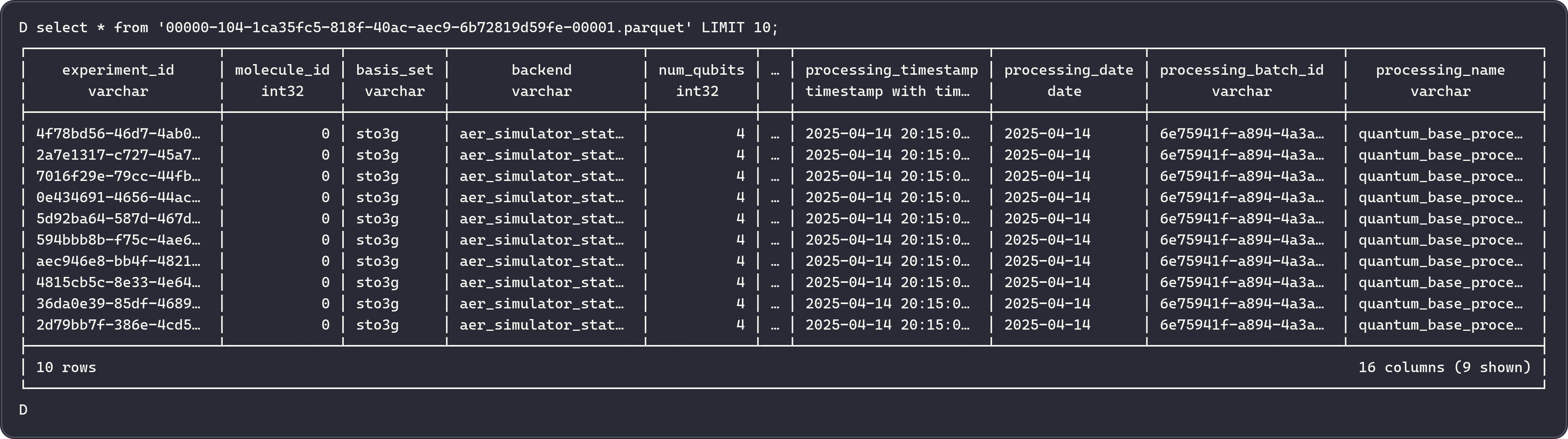
Metadata Files
| File Type | Description |
|---|---|
v*.metadata.json |
Table schema, partition spec, current snapshot pointer, and table properties |
snap-*.avro |
Snapshot metadata containing manifest list references |
| Manifest lists | Lists of manifest files for a given snapshot |
| Manifest files | Lists of data files, their partition values, and file-level statistics |
Iceberg Table Features
Iceberg provides ACID transactions, time-travel queries, schema evolution, and snapshot management without requiring data rewrites. For full details on these capabilities, see the Apache Iceberg documentation.
Snapshot Tagging
Each Spark write creates a new snapshot, tagged with a version identifier from the processing batch ID:
snapshot_id = spark.sql(
    f'SELECT snapshot_id '
    f'FROM quantum_catalog.quantum_features.{table_name}.snapshots '
    f'ORDER BY committed_at DESC LIMIT 1'
).collect()[0][0]

version_tag = f'v_{processing_batch_id}'
spark.sql(f"""
    ALTER TABLE quantum_catalog.quantum_features.{table_name}
    CREATE TAG {version_tag} AS OF VERSION {snapshot_id}
""")
Reproducible ML Training
Reference a snapshot tag from a specific processing run to reproduce exact training datasets.
MinIO Integration
MinIO provides S3-compatible storage for raw Avro data and processed Parquet feature tables.
Bucket Structure
The system uses two MinIO buckets:
| Bucket | Purpose | Writer |
|---|---|---|
local-vqe-results |
Raw Avro files from Kafka Connect | Kafka Connect S3 Sink |
local-features |
Processed Parquet files and Iceberg metadata | Apache Spark |
Kafka Connect S3 Sink
Kafka Connect writes raw Avro files to MinIO via the S3 Sink Connector:
{
  "connector.class": "io.confluent.connect.s3.S3SinkConnector",
  "tasks.max": "1",
  "topics.regex": "vqe_decorated_result_.*",
  "topics.dir": "experiments",
  "s3.bucket.name": "local-vqe-results",
  "store.url": "http://minio:9000",
  "s3.region": "us-east-1",
  "s3.path.style.access": "true",
  "flush.size": "1",
  "schema.compatibility": "NONE",
  "storage.class": "io.confluent.connect.s3.storage.S3Storage",
  "format.class": "io.confluent.connect.s3.format.avro.AvroFormat"
}
Full configuration: docker/connectors/minio-sink-config.json
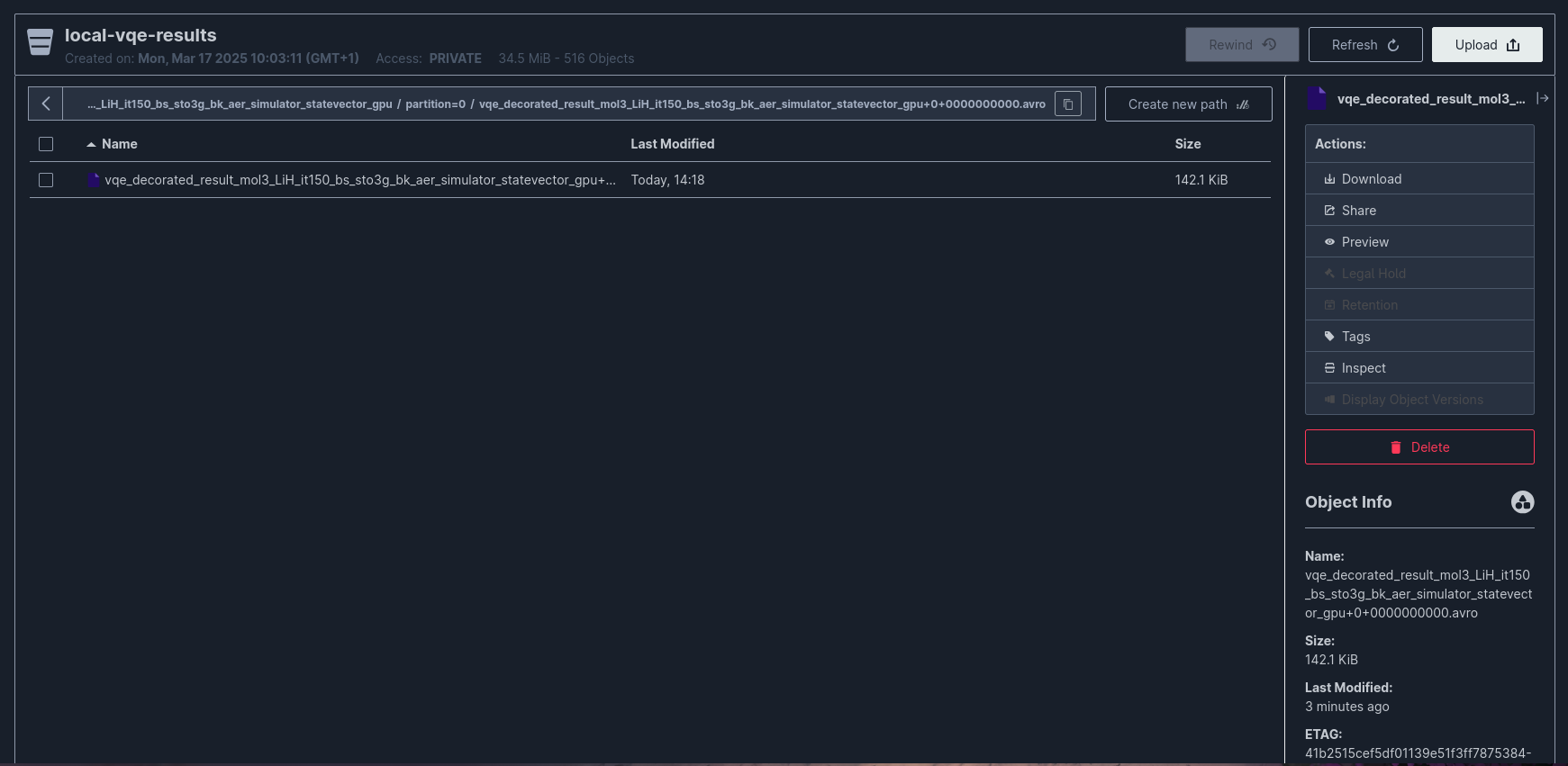
Raw Data Directory Layout
s3://local-vqe-results/
└── experiments/
    ├── vqe_decorated_result_v1/
    │   ├── partition=0/
    │   │   ├── vqe_decorated_result_v1+0+0000000000.avro
    │   │   ├── vqe_decorated_result_v1+0+0000000001.avro
    │   │   └── vqe_decorated_result_v1+0+0000000002.avro
    │   └── partition=1/
    │       └── vqe_decorated_result_v1+1+0000000000.avro
    └── vqe_decorated_result_v2/
        └── partition=0/
            └── vqe_decorated_result_v2+0+0000000000.avro
File naming convention: {topic_name}+{partition}+{start_offset}.avro
MinIO Configuration
minio:
  image: minio/minio:${MINIO_VERSION:-latest}
  command: minio server /data --console-address ":${MINIO_CONSOLE_PORT}"
  ports:
    - "${MINIO_API_PORT}:9000"       # S3 API
    - "${MINIO_CONSOLE_PORT}:9001"   # Web Console
  environment:
    MINIO_ROOT_USER: ${MINIO_ROOT_USER}
    MINIO_ROOT_PASSWORD: ${MINIO_ROOT_PASSWORD}
    MINIO_REGION_NAME: ${MINIO_REGION}
  volumes:
    - minio-data:/data
| Port | Service | Description |
|---|---|---|
${MINIO_API_PORT} |
S3 API | Used by Kafka Connect and Spark for data access |
${MINIO_CONSOLE_PORT} |
Web Console | Browser-based management interface |
Partitioning Strategy
Partitioning is optimized for expected query patterns:
| Table | Partition Columns | Rationale |
|---|---|---|
molecules |
processing_date |
Time-based filtering for incremental loads |
ansatz_info |
processing_date, basis_set |
Filter by date and basis set for circuit analysis |
performance_metrics |
processing_date, basis_set |
Performance comparisons across basis sets |
vqe_results |
processing_date, basis_set, backend |
Query by date, basis set, and simulation backend |
initial_parameters |
processing_date, basis_set |
Parameter analysis by date and basis set |
optimal_parameters |
processing_date, basis_set |
Optimized parameter lookup |
vqe_iterations |
processing_date, basis_set, backend |
Iteration analysis with backend filtering |
iteration_parameters |
processing_date, basis_set |
Per-iteration parameter tracking |
hamiltonian_terms |
processing_date, basis_set, backend |
Hamiltonian structure analysis |
Partition Pruning
Iceberg uses partition metadata to skip irrelevant data files at query time:
-- Only scans partitions for sto3g basis set on a specific date
SELECT * FROM quantum_catalog.quantum_features.vqe_results
WHERE processing_date = DATE '2025-01-12'
  AND basis_set = 'sto3g';
Iceberg reads only files in matching partitions, reducing I/O for partition-filtered queries.
Table Maintenance
Iceberg tables require periodic maintenance including snapshot expiration, data file compaction, and orphan file cleanup. For procedures and recommended schedules, see the Iceberg Maintenance documentation.
Processing Metadata Table
A metadata table tracks all processing runs:
CREATE TABLE IF NOT EXISTS quantum_catalog.quantum_features.processing_metadata (
    processing_batch_id STRING,
    processing_name STRING,
    processing_timestamp TIMESTAMP,
    processing_date DATE,
    table_names ARRAY<STRING>,
    table_versions ARRAY<STRING>,
    record_counts ARRAY<BIGINT>,
    source_data_info STRING
) USING iceberg
This provides an audit trail for tracing which data was processed and when.
Related Documentation
- System Design - Full architecture overview
- Spark Processing - Feature engineering pipeline that writes to Iceberg
- Kafka Streaming - How raw data arrives in MinIO via Kafka Connect
- Airflow Orchestration - Scheduling of the processing pipeline